
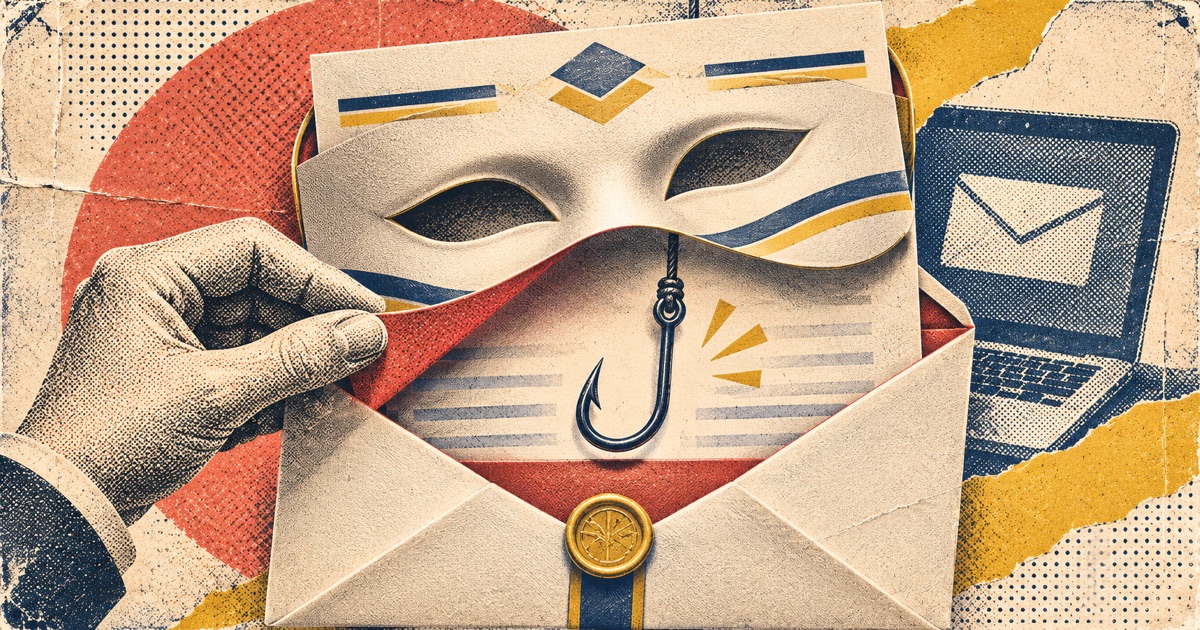
There was a time when phishing emails were practically performance art.
The subject line was written in all capital letters.
The sender claimed to be a wealthy royal with an urgent banking problem.
The message contained seventeen grammatical errors and an enthusiastic promise that you were about to receive $46 million.
Honestly, it was almost charming.
At least the criminal had the decency to make the warning signs obvious.
Today's phishing emails can be very different.
They can arrive with professional branding, legitimate company names, believable requests, and formatting that looks indistinguishable from ordinary business correspondence.
And according to Microsoft's November 5, 2026 research, this isn't a minor problem.
Microsoft detected approximately 129 million malicious messages spoofing tracked business-service domains during the third quarter of 2026.
Not 129 million successful compromises.
Not necessarily 129 million messages delivered to unsuspecting inboxes.
Approximately 129 million malicious messages detected within the business-service-domain category Microsoft analyzed.
That's an important distinction.
It's also an absolutely ridiculous volume.
The Brands Criminals Love to Impersonate
Microsoft's research identified major business-service brands being spoofed, including DocuSign, Adobe, SurveyMonkey, and Barracuda.
In September, DocuSign accounted for 29% of the spoofing activity in the tracked group.
Why would criminals impersonate those companies?
Because people are accustomed to receiving legitimate messages from them.
Invoices.
Contracts.
Document-signing requests.
Surveys.
Shared files.
Security notifications.
In an ordinary workday, people may receive dozens of messages asking them to review something, approve something, sign something, or confirm something.
A criminal only needs one of those requests to arrive at the right moment.
The message doesn't have to look extraordinary.
It has to look routine.
That's what makes modern impersonation attacks so dangerous: They hide inside normal behavior.
“But It Had the Real Company Logo!”
Yes.
And I can put the logo of a five-star hotel on my garage.
That doesn't mean I've suddenly opened a luxury resort.
Logos are easy to copy.
Professional writing is easy to generate.
Email templates can be duplicated.
Even sender information can be misleading, whether through domain spoofing, lookalike domains, compromised legitimate accounts, or other deception techniques.
Microsoft's findings specifically included messages claiming to originate from the domains of legitimate business services.
That's why relying on a recognizable name in the From field isn't enough.
The message may still be fraudulent.
To complicate matters further, criminals can use compromised legitimate accounts to distribute malicious requests.
That means an email may genuinely come from someone you know while containing instructions the real person never intended to send.
Wonderful.
We spent years teaching people not to trust strangers.
Now we have to explain that criminals can impersonate your accountant, your boss, your bank, and the colleague who keeps sending you documents to approve.
What Are These Emails Trying to Accomplish?
The objective depends on the campaign.
Some want account credentials.
Others want payment information.
Some attempt to install malware.
Others want you to approve a fraudulent transaction or provide a confidential document.
Imagine receiving an email that looks like a legitimate DocuSign request.
You click to review the agreement.
A page appears asking you to sign in with your Microsoft account.
You enter your credentials.
Except the page isn't Microsoft, and the signing request was never legitimate.
The criminal now has information they can try to use elsewhere.
Or perhaps the email comes from a compromised supplier's mailbox.
It asks your accounting department to update the destination for future payments.
Everything appears familiar.
The invoice looks real.
The names are correct.
But the bank account belongs to a criminal.
Both scenarios exploit trust rather than technical sophistication alone.
And in some cases, modern phishing tools can even attempt to capture session information or work around weaker authentication methods.
This is why passkeys and phishing-resistant security keys are increasingly important.
Why Traditional Phishing Training Needs an Upgrade
For years, cybersecurity awareness campaigns have emphasized a familiar checklist:
Look for spelling mistakes.
Look for awkward grammar.
Look for suspicious formatting.
Look for unfamiliar senders.
Some of those clues can still be useful.
But they're not sufficient.
A perfectly written message can be fraudulent.
A badly written message can be legitimate.
And criminals increasingly use automation and AI tools to improve their impersonation attempts.
We need to teach people to verify what they're being asked to do, not merely whether the email looks professional.
A good question is:
“Was I expecting this request, and can I verify it without using the instructions in the message?”
That's a much stronger test than admiring the font selection.
How to Protect Yourself From Convincing Impersonation
1. Treat unexpected document requests as requests to verify
If an email says you have a contract or invoice to review, consider whether you were expecting it.
If you weren't, contact the sender through a previously known number or established communication channel.
Don't rely on the contact information inside the suspicious email.
2. Never approve payment changes from email alone
An unexpected request to change banking information should trigger an independent verification process.
Call the vendor or recipient using a number already on file.
For businesses, use a consistent procedure requiring additional verification before altering payment instructions.
A familiar-looking email thread is not sufficient approval.
3. Check the actual destination before signing in
If a link opens a login page, don't assume it's legitimate because the branding looks correct.
When possible, close it and navigate directly to the service's official website or app.
Pay attention to the real domain, not merely the logo or page title.
4. Use phishing-resistant authentication
Passkeys and FIDO2 security keys can significantly reduce the risk of credential theft through fake login pages.
Traditional multifactor authentication still provides important protection, but some methods can be socially engineered or intercepted by sophisticated phishing systems.
Use the strongest authentication your important accounts support.
5. Be skeptical of unexpected urgency
Criminals love deadlines.
Your document must be signed in 15 minutes.
Your account will be suspended.
Your payment is overdue.
Your security settings require immediate confirmation.
Real emergencies exist.
But urgency should lead you to verify more carefully, not abandon the process.
6. If you're unsure, ask through another channel
This applies to families as much as businesses.
If a relative sends an unusual message requesting money, verify it directly.
If a coworker asks for confidential information through an unexpected channel, confirm the request.
If someone claims to be a bank representative, call the bank yourself.
For family impersonation scams, a rotating family passphrase provides another way to check suspicious requests.
The principle is simple:
Don't let the message being investigated control the verification process.
7. Report suspicious messages
Use the report-phishing function in your email application or your organization's established security process.
If you entered credentials, notify the relevant security team immediately, change the affected password using the official service, and investigate account activity.
Don't quietly delete the message and hope nothing happened.
Early reporting can prevent the same attack from harming someone else.
Let's Stop Blaming People for Falling for Professional Deception
One thing particularly frustrates me about phishing discussions.
People love to say that victims should have known better.
But criminals deliberately study how people work, communicate, make decisions, and respond to authority.
They impersonate familiar brands because those brands carry credibility.
They exploit ordinary workflows because people have jobs to do.
They use urgency because it changes how people make decisions.
The solution isn't simply telling employees or family members to be smarter.
It's building stronger verification processes, improving authentication, giving people useful training, and creating environments where asking questions is encouraged.
If your workplace makes employees feel foolish for reporting a suspicious email, congratulations.
You've created exactly the culture attackers want.
The Bottom Line
Phishing is no longer defined by terrible spelling and suspicious foreign princes.
Modern impersonation can be polished, convincing, and embedded in legitimate-looking workflows.
The logo can be real.
The sender name can be familiar.
The message can be perfectly written.
And the request can still be fraudulent.
So let's retire the idea that recognizing a brand is enough.
Verify unexpected requests independently.
Protect important accounts with strong authentication.
And never let a professionally formatted email pressure you into giving away something valuable.
Because in 2026, criminals have excellent graphic design.
Unfortunately, their ethics department remains understaffed.
Sources
- Microsoft Security Research — Email Threat Landscape, Q3 2026
- FTC — How to Recognize and Avoid Phishing Scams
- FTC — How to Handle Unexpected Calls About Money at Risk