
PHP2Shell Explained: How a Website Vulnerability Could Become Your Problem
What happened, why you should care, and how to avoid becoming part of the sequel nobody asked for.
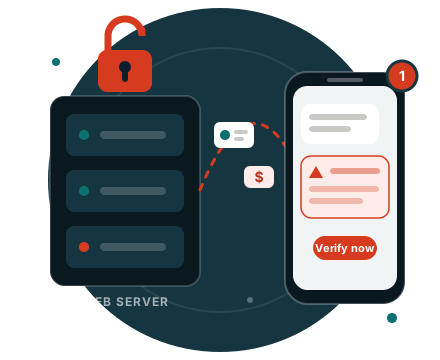
There's a new cybersecurity crisis making headlines, and this time it's called PHP2Shell.
No, it's not a new cryptocurrency. No, you don't need to know how to program. And no, your grandmother shouldn't have to learn server administration to keep her personal information safe.
Unfortunately, here we are.
On October 21, 2026, two critical vulnerabilities were publicly disclosed in PHP, a programming language used to power millions of websites.
And while this sounds like a problem for developers and IT departments, there's a very good reason everyday people should be paying attention.
Because a hacker breaking into a website today could become a scammer calling you about your bank account three months from now.
That's the part of the story we need to talk about.
First, what the hell is PHP?
PHP is a programming language that handles much of the behind-the-scenes work on websites.
When you log into an account, fill out an online form, make a purchase, or interact with a website, PHP might be involved.
Think of it as an employee working in the back office. You don't see them, you probably don't know their name, but they're processing information and keeping things running.
Now imagine someone discovers a way to walk into that back office without permission.
That's essentially what makes the newly discovered vulnerabilities, collectively named PHP2Shell, so concerning.
They can allow attackers to execute malicious code on vulnerable website servers without first logging in. Depending on the server and what the attacker can access, that could lead to stolen information, altered website content, or broader system compromise.
Severity score
9.2 / 10
CriticalAnd no, the missing 0.8 points aren't particularly comforting.
Are millions of people at risk?
Potentially. But let's clear something up.
Reports of large numbers of hacking attempts do not mean the same number of successful breaches.
A hacker trying to break into a million websites doesn't mean they got into a million websites.
There's a difference between someone rattling your front door and someone getting inside, stealing your wallet, and leaving through the kitchen.
Attempt
Someone rattling your front door.
Breach
Someone getting inside, stealing your wallet, and leaving through the kitchen.
Security researchers have already observed attempts to exploit PHP2Shell, including activity detected by Amazon before the vulnerabilities were publicly disclosed.
What we don't know is how many everyday consumers, if any, have had information stolen through this specific incident.
Those distinctions matter.
But when a vulnerability affects technology used across so much of the internet, we should absolutely take it seriously.
Here's where this becomes YOUR problem
Let's say you use a website to pay a medical bill.
That company has your name, phone number, email address, and perhaps some billing information.
You use the legitimate website, make your payment, and go about your day.
You've done nothing suspicious. You haven't clicked a strange link or downloaded something called totally_not_a_virus.exe.
You're just paying a bill.
Now imagine that website is compromised and an attacker manages to steal some customer information.
A few weeks later, you receive a text:
Unknown sender · Text Message
Your recent medical payment could not be processed due to a security issue. Please verify your information to avoid additional charges.
secure-billing-verify.example
- A real payment. It refers to a bill you actually paid.
- Real timing. It arrives after your legitimate medical visit.
- Pressure. “Avoid additional charges” is there to rush you.
- A link you didn't ask for. It could lead to an impostor site.
Well, that's annoying.
But you really did visit that doctor. You really did make a payment. And the message knows your name.
So maybe it's legitimate?
And that's exactly the problem.
- Step 1
A website gets compromised
- Step 2
Customer details are stolen
- Step 3
The scam lands on your phone
The criminal doesn't have to make up a completely convincing story. They may have stolen enough information to make their story sound like something you already know is true.
And with modern AI tools making personalized messages and impersonation easier to produce, criminals have more ways to turn that information into believable fraud.
To be clear, this is an example of what could happen after a website compromise, not a confirmed PHP2Shell-related scam.
But it's the kind of trickle-down risk that gets overlooked while everyone is busy discussing servers and software patches.
Four scams worth watching for
Criminals don't even need to successfully exploit PHP2Shell themselves to take advantage of the headlines. They can simply use the public confusion surrounding security incidents.
The following are illustrative possibilities, not confirmed PHP2Shell-related scams.
The "Your account was affected" message
"URGENT: Your account was compromised in the recent security incident. Verify your identity immediately."
How thoughtful. The criminals have generously offered to help you avoid being robbed by robbing you first.
What to do: Don't click the link. Open the company's app yourself, type its known website address, or call a number you've independently verified.
The "Our website is down, use this one instead" trick
"We're experiencing technical issues. Please use our temporary payment portal."
Nothing says trustworthy quite like an unexpected new website asking for your credit card.
What to do: If a website is down or redirecting somewhere unfamiliar, stop entering information. Check independently verified company communications before using a replacement portal.
The convincing phone call
"Hello, this is your bank's fraud department. We noticed suspicious activity and need to verify your account."
They may know your name, address, or other personal details. That's unsettling, but personal information isn't proof of identity. Plenty of criminals have access to information they shouldn't.
What to do: Hang up and call the number on the back of your card. Never give a caller your one-time security code or transfer money to a supposed "safe account."
The helpful technician
"Your computer may be affected by the PHP vulnerability. We need remote access to secure your device."
Absolutely not, Kevin. PHP2Shell primarily concerns vulnerable servers, not an infection spreading to everyone's personal phone or laptop.
What to do: Don't install software or give remote access to someone who contacted you unexpectedly. Your device doesn't need a mysterious stranger from the internet to perform emergency PHP surgery.
What should you actually do right now?
You don't need to throw your laptop into the ocean.
You also don't need to change 47 passwords just because you saw a headline.
Here's what will actually help.
1. Stop trusting unexpected messages just because they sound informed
If someone contacts you about an outage, breach, refund, payment problem, or account verification, treat the request as unverified until you confirm it yourself.
Don't use the contact information they provided.
This is especially important when the message includes accurate personal information. Criminals can know something about you without being who they claim to be.
2. Stop providing information to websites behaving suspiciously
If a familiar website suddenly redirects to an unfamiliar domain, asks for strange information, or tells you to install software, stop.
Don't keep entering your password or payment details and hope the fifth attempt goes better.
A technical error doesn't automatically mean the website was compromised, but unusual requests deserve independent verification.
3. Find out whether your information was actually exposed
Pay attention to breach notifications from services you use, and verify those notifications through official channels.
If your account credentials were compromised, reset the password through a trusted, secure process. Sign out of other sessions, check recovery information, and enable multifactor authentication or passkeys.
If you've reused that password anywhere else, change it there too.
And if your account is actively being accessed without permission, use the provider's official recovery process immediately.
4. Protect your money before someone else gets creative with it
Turn on real-time transaction alerts.
Review banking and credit card activity.
If your payment information was exposed, contact your financial institution to discuss whether your card or account credentials should be replaced.
If sensitive identity information such as your Social Security number was exposed, consider freezing your credit with Equifax, Experian, and TransUnion.
A credit freeze helps prevent fraudulent new credit accounts, though it doesn't stop someone from misusing an existing bank account or credit card.
The part that really bothers me
Here's what people need to understand.
You can do everything right as a consumer and still have your information exposed because an organization failed to secure its systems.
You can use strong passwords, enable multifactor authentication, avoid suspicious links, and refuse to answer calls from unfamiliar numbers.
But you cannot personally patch the PHP server belonging to your doctor's office.
That's not a reasonable expectation. Most people have enough going on without becoming unpaid cybersecurity consultants for every company they've ever bought something from.
The responsibility for fixing PHP2Shell belongs to organizations running vulnerable software.
Security patches are available. Website operators need to apply them immediately and investigate whether attackers already gained access.
And here's another important detail: fixing the vulnerability doesn't undo a breach that's already happened.
If information was stolen before the patch, updating the software doesn't magically summon that information back from the criminal underworld.
Which brings me to something else.
We need to talk about breach notifications
Companies have legal obligations to report certain breaches, but the rules vary depending on the organization, location, and type of information involved.
Some notification deadlines are measured from when a company determines that a qualifying breach occurred, not necessarily when the attacker first gained access.
Investigations legitimately take time. But so does identity theft recovery, and consumers don't always have the luxury of knowing when to start.
By the time someone receives a carefully worded notification letter, their personal information may already have been useful to criminals for weeks or months.
How the clock can run
- Attacker gets inData is taken.
- Weeks or monthsYour info may already be in use.
- Breach confirmedThe notification clock often starts here.
- The letter arrivesYou finally find out.
And we all know the letter.
“We take the security of your personal information very seriously.”
Wonderful. So does the person who stole it. That's why they wanted it.
People shouldn't have to wait for a company's legal and public relations teams to agree on the perfect adjective before they get a chance to protect themselves.
A breach notification that comes after the damage is done isn't prevention.
It's paperwork.
The second wave
Where ZoraSafe fits into this
We built ZoraSafe around a problem that traditional cybersecurity has largely overlooked: even when criminals attack technology, the next step often involves manipulating a person.
Ask Zora
If you receive a suspicious text, email, website link, or unexpected request, Ask Zora can help you examine the warning signs before you respond.
Explore Ask ZoraFamily Passphrase
Gives families another way to check urgent requests for money or help before verifying independently.
Explore Family PassphraseThese tools don't patch vulnerable websites, and they can't guarantee that an incident will be detected. They're meant to help people make safer decisions when something doesn't feel right.
Because cybercriminals don't stop being dangerous once an IT department closes a security ticket.
Sometimes that's when the next scam begins.
And frankly, the internet has enough sequels nobody asked for.
Check a suspicious messageSources and further reading
- PHP: October 21, 2026 Security Advisory
- Amazon Threat Intelligence: PHP2Shell Exploitation Attempts
- FTC: What to Do After a Data Breach
- FTC: How to Freeze Your Credit
- IdentityTheft.gov
Information current as of October 22, 2026. Examples of follow-on scams are illustrative, not confirmed PHP2Shell-related consumer incidents.